Software
Nowadays, the label creation is a process that tends to be integrated with other operational processes. Whether we talk about product identification, storage logistic, expedition labeling or production control, almost all operations are now computer assisted.
Legitronic® Labeling Software
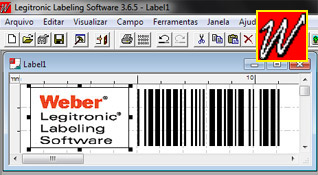
Legitronic® Labeling Software (or Legi) is the most powerful labeling software on the market. Despite being powerfull, it is extremely simple and intuitive to use, and as the software is very light, all computers are able to run it. Since its first released version in 1978 (not yet for PC architecture), Legi has suffered constant improvements in order to meet the requirements of labeling. This long path made Legi become one of the best labeling software in the world. The simple and user-friendly graphical interface (a perfect WYSIWYG) makes the creation of labels quick and easy. It's as simple as Paint (creating fields, drag, copy, paste or move fields) and its functionality is impressive.
Some of Legi's features:
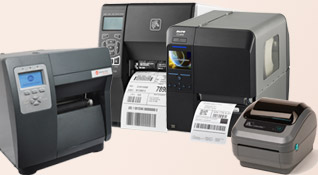
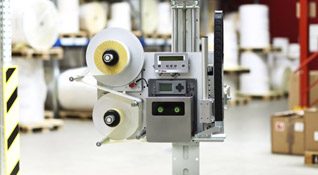
- Optimized drivers for various models of Zebra®, Datamax®, Sato® among others, ensure maximum efficiency. Control desktop printers and also printer-applicators (all in one software);
- Legi can control any printer installed in Windows® (however performance is not guaranteed);
- Text fields with advanced formatting (fonts and styles, such as in word processors like MS-Word);
- Image fields that accept all types of common image formats (pcx, jpg, bmp, png, etc. ...). If the printer only prints one color, Legi uses a powerful algorithm to convert the image into point grids;
- Allows color printing and at various resolutions (if supported by the printer);
- Inputs provided before printing (from the user via keyboard or external devices, such as a scale connected to the PC to print the weight on the label);
- Access to databases (ODBC) to write label data for a given search key (you can use multiple keys, tables and different databases simultaneously);
- Prints counters, dates and times in any format;
- You can draw geometric shapes such as lines or boxes;
- Prints the widest range of barcodes. Includes a wizard to facilitate the creation of EAN128 codes;
- Advanced formulas, similar to MS-Excel which allows you to perform complicated tasks easily, without recourse to external programming;
- Audit functions. Find out who printed what and when and assign passwords and groups permissions to each user;
- Control the stock of your labels. As the labels are being printed, the stock is automatically reduced and when it falls below a certain level, you will be notified;
- Network installation and possibility of printing on remote printers;
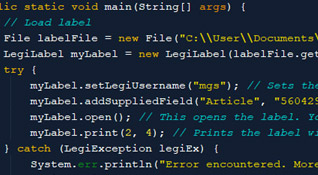
- Unlimited possibilities for the most demanding users by programming with the included VBA, or another language using batch scripts (although it is rare to have to resort to programming due to the varied possibilities of Legi);
- Versions for Windows® 9x, Me, 2000, XP, Vista and Windows 7;
- Manual and step-by-step learning guide in English. You can become a Legi expert in just one day. You can also receive support from MGS via Hotline or Email. 8h of Training included in the purchase (you can also order new training);
See also the Legitronic brochure.
|
Editor3
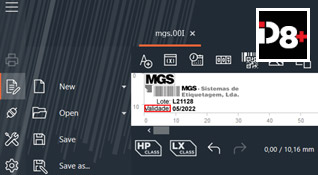
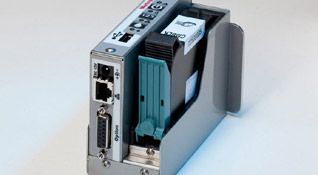
To control our range of encoders there is the Editor3 (the iDesign is a slightly different version, already prepared for the iJet). It is a simple and intuitive software.
Some features of Editor3:
- Controls our entire range of coders (all in one software);
- You can insert text fields, barcodes, dates, counters and monochromatic logos.
- Inputs provided before printing (from the user via control unit keyboard);
- Access to databases (ODBC) to compose the label quickly by simply changing the search key;
- Prints the most common barcodes (Code39 families, Code128, EAN, ITF, DUN, UPC, QR and Datamatrix - as long as it is supported by the encoder;
- Allows connection to the encoders via network, USB, RS232 and RSS422;
- You can receive support from MGS via Hotline or Email. 8h of Training included in the purchase (you can also order new training);
|
Development of Custom Software
We can also develop applications to respond to your specific requirements.
|
|